Self-Hosting: Owning Your Digital Infrastructure
Self-hosting is the practice of running software and services on infrastructure you control—typically your own server, home lab, or private cloud—instead of relying on third-party SaaS providers. This includes everything from file storage and password managers to email servers and AI tools.
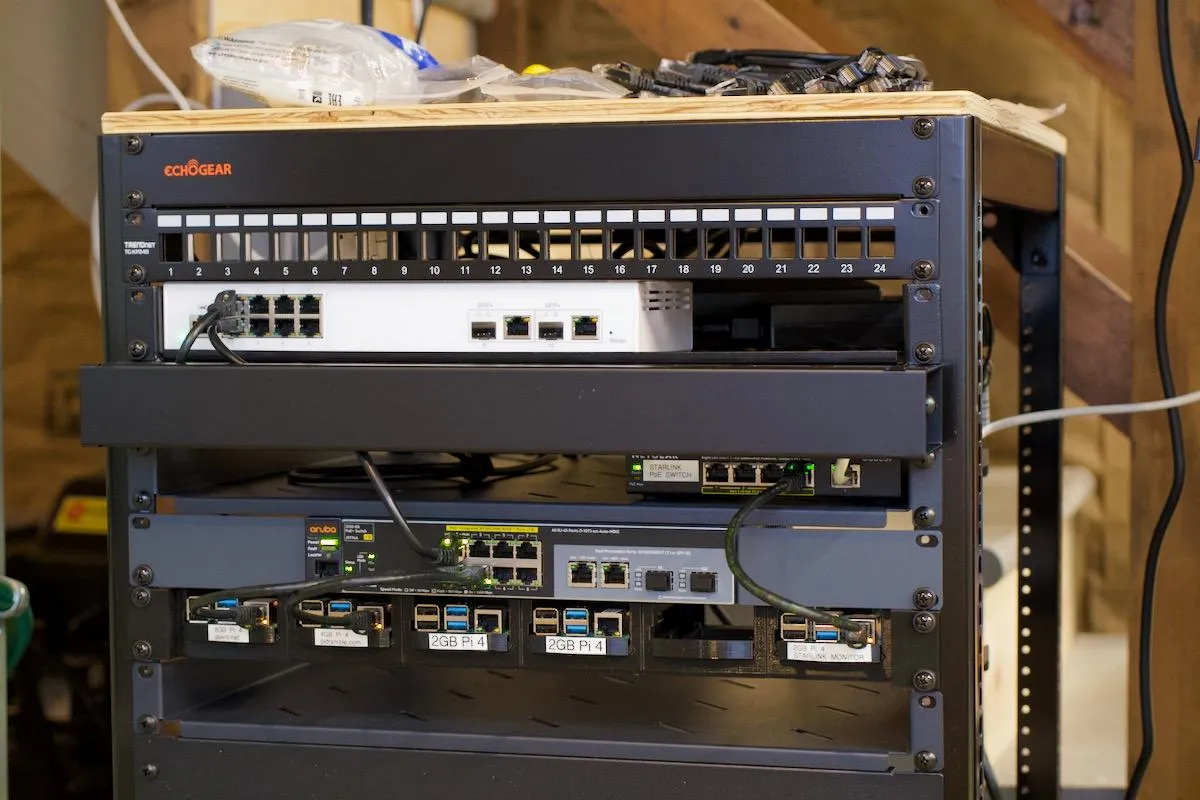
What “Self-Hosting” Actually Means
Self-hosting is the practice of running software and services on infrastructure you control—typically your own server, home lab, or private cloud—instead of relying on third-party SaaS providers. This includes everything from file storage and password managers to email servers and AI tools.
At its core, self-hosting shifts control over data, uptime, and customization from external vendors to you.
Why People Are Moving Toward Self-Hosting
1. Data Sovereignty
Your data stays on your hardware. No third-party analytics, no opaque retention policies.
2. Cost Efficiency at Scale
While upfront costs exist (hardware, setup time), recurring subscription fees disappear over time.
3. Customization & Flexibility
You decide configurations, integrations, and update schedules. No forced UI redesigns or feature removals.
4. Learning & Skill Development
Operating your own infrastructure builds practical skills in networking, security, and system design.
Common Self-Hosted Applications
- File Storage: Nextcloud, Syncthing
- Media Servers: Plex, Jellyfin
- Password Managers: Vaultwarden
- Automation: Home Assistant
- Developer Tools: Git servers, CI/CD pipelines
- AI/LLM Hosting: Local inference with GPUs or optimized CPUs
Basic Architecture
A typical self-hosting stack includes:
- Hardware: Raspberry Pi, mini PC, or dedicated server
- Operating System: Linux (Ubuntu Server, Debian)
- Containerization: Docker + Docker Compose
- Reverse Proxy: Nginx / Traefik
- Security Layer: Firewall + SSL (Let’s Encrypt)
- Optional: VPN (e.g., WireGuard) for remote access
This modular setup allows services to run independently while sharing the same infrastructure.
Key Challenges (Often Underestimated)
1. Security Responsibility
You are now the sysadmin. Misconfigured ports or weak auth can expose your system.
2. Maintenance Overhead
Updates, backups, and monitoring are ongoing obligations.
3. Reliability Tradeoffs
Home internet and power are less reliable than enterprise-grade cloud providers.
4. Time Investment
Initial setup and troubleshooting can be significant, especially for beginners.
When Self-Hosting Is a Bad Idea
Self-hosting is not optimal if:
- You require guaranteed uptime (99.99%+)
- You lack time to maintain systems
- You are handling sensitive production workloads without security expertise
In those cases, hybrid approaches (self-host + cloud fallback) are more realistic.
Practical Starting Point
Start small and controlled:
- Deploy a single service (e.g., Nextcloud) using Docker
- Run it locally before exposing it to the internet
- Add HTTPS and authentication
- Implement automated backups
- Gradually expand your stack
Avoid trying to build a full “homelab empire” immediately—it usually leads to fragile setups.